
The latest version of WordPress, 4.5, is scheduled to be released today. There are hundreds of bug fixes included and a few major changes and additions:
Changes in the Theme Customizer
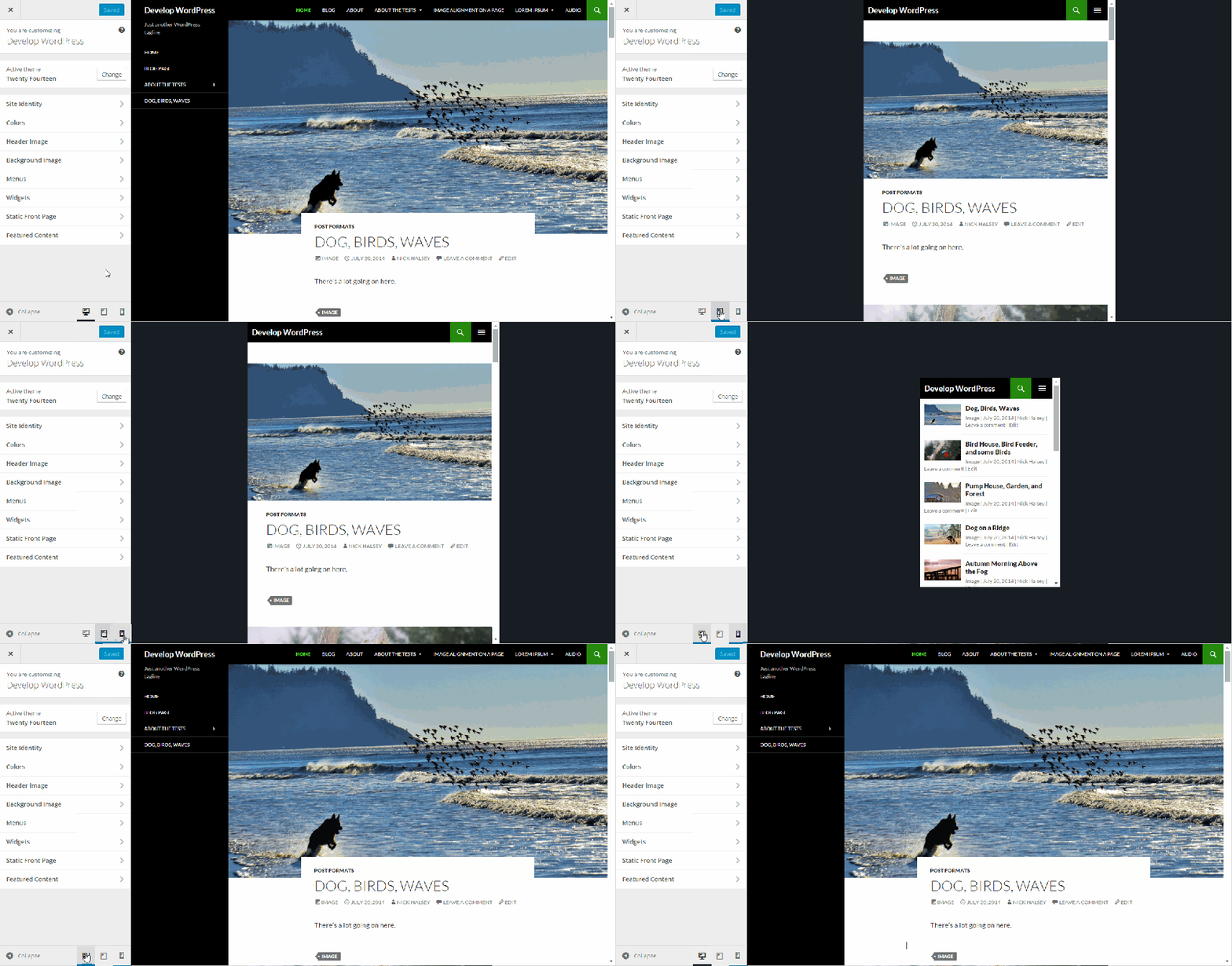
With WordPress 4.5 you can preview different device types using the Theme Customizer. Src: WPTavern
Responsive Preview: You’ll now be able to see a responsive live preview in the customizer. In the lower right-hand corner, the customizer will display three icons. You’ll be able to choose to see a desktop preview, or see what the site looks like on a tablet or a phone.
Logo Support: Up until now, your ability to upload a custom logo has been theme dependent. With WordPress 4.5, that functionality is moving to the WordPress core. Your theme designer still needs to support it, and when they do you’ll be able to upload a custom site logo in the customizer.
Changes in the Editor
Since most WordPress users spend more time creating content than anything else, improvements to the Visual Editor are always appreciated.
New Shortcodes: You’ll be able to use some new shortcodes to make writing or editing faster. For example:
- Place asterisks on both sides of text that you want to italicize *like this*
- Place double asterisks on both sides to make it bold **like this**
- Place apostrophes on both sides to indicate it’s code
- You’ll also be able to add a link inline — forget the old, distracting link popups — when you highlight the link text and use CTRL-K (CMD-K on a Mac).
Improved Commenting Features
WordPress 4.5 will make it easier to edit a comment before approving it. You’ll also see the comment formatted as it will appear once it’s approved.
Log In with Email
Forgot your WordPress username? With 4.5, you’ll be able to log in with your email address.
Behind the Scenes…
Some changes will work behind the scenes, improving your user experience.
Improved Responsive Image Handling: WordPress will automatically optimize the smaller image sizes even more, although they still recommend you upload images that are properly optimized to begin with. Performance is also improved.
Selective Refresh: When you’re previewing your site in the customizer, refreshes will happen more quickly because WordPress will refresh only the item(s) you change, not the entire screen. This also depends on implementation from theme developers so it may take some time before it’s live for your site.
oEmbeds Adds Support for Twitter Moments and Timelines: In addition to the many items you can embed automatically, WordPress 4.5 will support Twitter Moments and Timelines.
Barrel Roll Members
Have questions or concerns about the WordPress 4.5 upgrade? Want us to wait a little while to apply it? No problem!
Not A Barrel Roll Member?
Your life is hectic so focus on what’s most important. Every minute spent managing your website is time better used doing something else.