
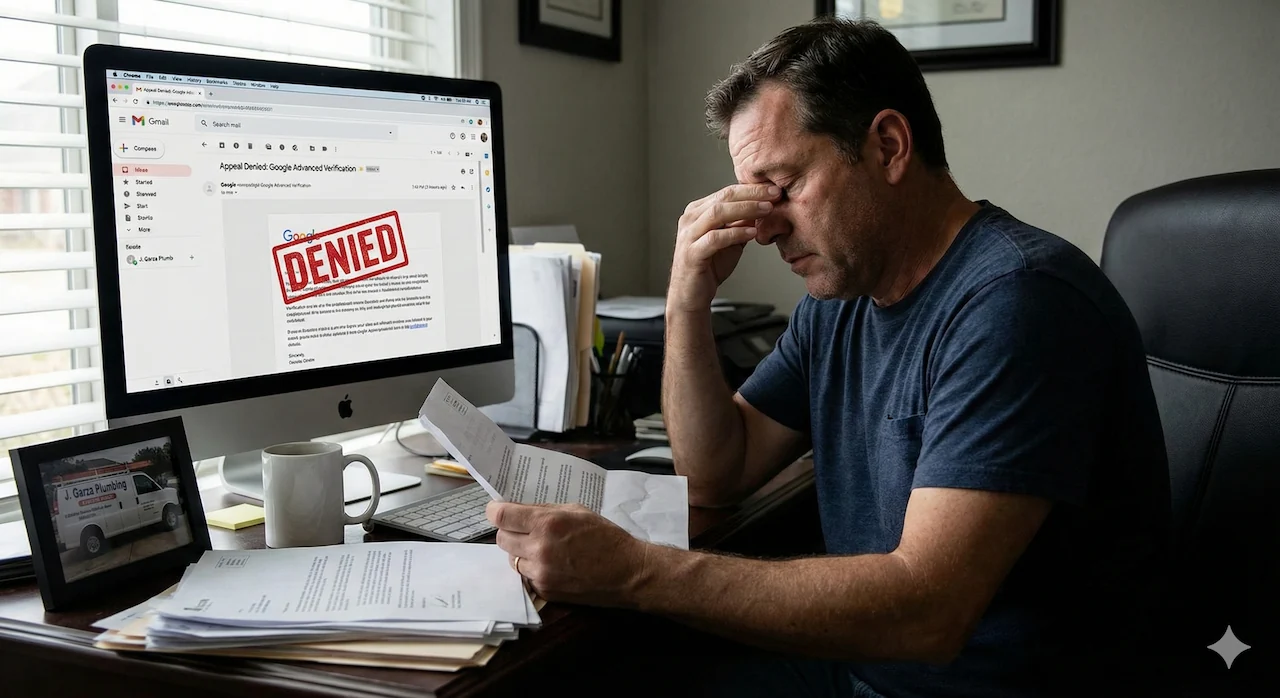
The dreaded email:
Dear Advertiser,
Thank you for contacting us to request an appeal. We have re-reviewed your application carefully and upon further review have concluded that your business is still in violation of our advertising policies. As a result, this business will not be eligible to advertise on Google.
We are unable to provide details on the specific policy violation(s) that we identified, and we will not be able to respond to requests for additional information. We suggest reviewing the Advanced Verification policies as well as the Google Ads policies or Local Services platform policies for more information. Please do not respond directly to this message.
Sincerely,
Advanced Verification Team
Note: BE CAUTIOUS when appealing Advanced Verification. You only get two chances to appeal before Google pauses or permanently suspends you from applying for AV with the same address.
When it comes to Google Ads, few things are more frustrating than having Advanced Verification denied when you know your business is legitimate. It’s one of those necessary tasks that feels like it should be simple, but can shut down your advertising over the tiniest detail.
Because of that, a wrongful AV denial isn’t just annoying. It can slow down your campaigns and cost your business real money. This article will explain the following:
- Who Named These Things (Advertiser Verification is NOT Advanced Verification)
- What is Advanced Verification?
- Why some legitimate businesses are denied Advanced Verification
- How to resolve issues with Advanced Verification
1. Advertiser Verification Is NOT Advanced Verification

Example of advertiser verification in Google Ads
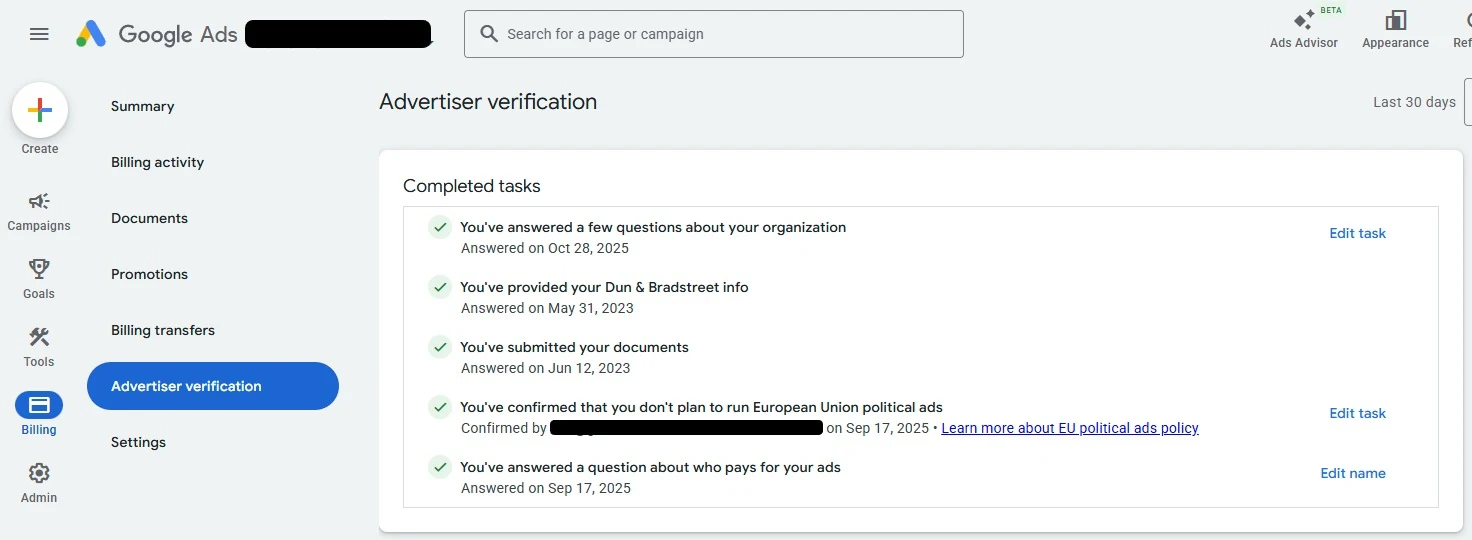
Example of advertiser verification in Google Ads
What Is Advertiser Verification?
Advertiser verification is the standard identity verification required for most Google Ads accounts. Its primary purpose is transparency. Google wants to confirm who is paying for ads and ensure that advertisers are not misrepresenting themselves.
This process focuses on validating the legal name of the business or individual, the country of operation, and basic account ownership details, including alignment with the payment profile. For many advertisers running standard campaigns, advertiser verification is sufficient to continue advertising without interruption.
What Is Advanced Verification (AV)?
Advanced Verification is a more rigorous process that applies to only two industries at time of writing: garage door services and locksmith services. AV is required to run Google Ads and/or Local Service Ads in these industries (as of January, 2026):
- Garage door services: United States
- Locksmith services: United States, Canada
In the past, other industries like legal services, healthcare, and finance have also required AV. Google changes its policies regularly, and other industries may or may not be required to complete AV in the future.
Unlike advertiser verification, which establishes identity, Advanced Verification determines whether a business is trustworthy. Unfortunately, the garage door and locksmith industries are full of scam companies and illegitimate businesses. This means Google needs to take extra steps to protect its users and reputation.
If you’ve submitted an AV application, you know the vetting process is rigorous but imperfect. Some scam companies slip through the cracks, and some legitimate businesses are denied verification.
Google Ads vs. Local Service Ads (LSA) Advanced Verification

Your account ID is 10 digits (looks like a phone number) and can be found in the top right of your Google Ads account.
Advanced Verification applies at the account ID level. This means you only need to get verified once if your Google Ads & LSA accounts share the same ID. If your accounts have different IDs (which can happen for a number of reasons), you will need to get AV for each account.
Unfortunately, this also means you can’t run Google Ads OR LSA if your AV is denied.
Why Wrongful AV Denials Happen
We have seen Google deny Advanced Verification for many reasons. Typically, there is some kind of inconsistency in your application or paperwork. Because Google is so strict with AV, even a small error can lead to denial.
Common problems with Google Ads AV include:
- Conflicting business names between your application, accounts, and/or paperwork
- Physical address mismatches
- Incorrect, incomplete, or insufficient business documents (DBA, licensing, registration, utility bills, etc.)
- Issues with signage or marketing materials
- Website ownership or domain inconsistencies
- Inconsistencies between your application and your Google Business Profile
- AV already exists for the address or business
See Google’s Advanced Verification form here. Everything from “What is your business name?” to “Primary license type” WILL be cross-referenced with your official business documentation.
Business Names
The business name you submit should exactly match your business registration. If you use a DBA, you may enter your business name in this format: “[Your Business] DBA [Fictitious Name]”.
Business Address
The address you submit should exactly match the one in your Google Business Profile. If you do not have a GBP, the address should exactly match your business documentation.
Addresses are a frequent problem with AV. Your address should be consistent across all business documentation, including utility bills, vehicle registration, and website. If it is NOT consistent, we recommend updating it to match how it appears in Google Maps.
Specifically, Google can be picky about address formatting and spelling. Check out our GBP appeal case study for more info on address shenanigans and how to fix them.
Business Documentation
When we see AV denials due to documentation, it’s usually because your business information is not consistent across documents & databases.
Your state’s Secretary of State website reflects the most recent information available for your business. Google will cross-reference your submitted documentation with this database. Make sure your SOS business listing is accurate and up to date.
If you have DBA documentation, your documents (other than your business registration) may use your DBA instead of the original entity name.
Signage & Marketing Materials
We’ve seen AV denied for an incorrect business name or address on things like vehicle wraps, window clings, business cards, and customer invoices.
Website URL
Double-check your URL for misspellings. If there’s an error with your URL that leads to another business’s website or a dead page, Google may deny your application.
The website you submit to AV should exactly match the domain you will use in Google Ads. Otherwise, you will not be able to run ads.
Google Business Profile (GBP)
Having a GBP is very helpful for Advanced Verification. It means your business already exists in Google’s database AND has been verified.
If your AV application does not match the info on your GBP, you could run into issues.
Existing Advanced Verification
Sometimes businesses accidentally apply for AV multiple times. This can happen due to turnover in your employees or marketing agencies.
Solving Problems with Google Ads Advanced Verification
Remember: repeated attempts and failures to apply for Advanced Verification can result in a permanent pause/suspension of advertising.
If you’ve been denied (especially more than once), please save yourself some stress and find an expert who knows exactly what to look for. Here are the steps we go through to get advanced verification approved for our clients.
1. Identify Issues with a Full Audit
Google will not tell you exactly why you’ve been denied, just that your business is not eligible to run ads. That means we have to comb through all of your business information, including:
- Google Ads account information
- Google Business Profile listing
- Any Local Services Ads connections
- Documents you’ve already submitted
- Documentation available online
- Third-party business listings
- Your email communications with the Advanced Verification team
We compare the business name, address, phone number, website, ownership details – everything Google might check.
We typically find at least one issue, though sometimes there are multiple problems. If your appeal has already been denied once, we need to address ALL potential issues so your business doesn’t get permanently suspended from advertising.
2. Update Information Before Appealing or Reapplying
Once we’ve figured out what the problem is, we will direct you to update the information as needed. This may include:
- Updating the legal business name
- Getting an official DBA document
- Acquiring a contractor license
- Standardizing your address
- Resolving outdated ownership records
- Updating signage or marketing materials
- Taking additional photos of your business & tools
We will not appeal or reapply until all issues are addressed. Submitting another application with even a small inconsistency can trigger another denial, and repeated denials increase the risk of a permanent advertising suspension.
3. Use Supportive Third-Party Documentation in Your Appeal
We’ve found that Google is tight-lipped about AV issues, but they’re willing to work with you if your business is legitimate.
We’ve had to rely on creative sources of information more than once to prove our clients are real. We’ve used things like BBB listings, Google Street View, and Consumer Affairs databases to support our applications.
These are not enough on their own, but they can help resolve issues when combined with all the required documentation.
4. Reapply & Monitor Status
Once all information has been corrected and aligned, we submit a single reapplication with documentation that clearly supports the business’s identity and authority to advertise. The goal is to present a consistent advertiser profile that can be reviewed and approved without additional clarification, though Google may follow up with additional document requests.
After approval, we continue to monitor the account. Updates to business details, payment profiles, or account access can sometimes prompt another review, so we keep an eye on the verification status to ensure it remains stable.
Advanced Verification is designed to confirm trust, but when something doesn’t line up, the process quickly breaks down. Reapplying without addressing the underlying issue often leads to repeat denials, unnecessary downtime, or even permanent suspension.
Taking the time to audit and correct those signals before reapplying – or getting in touch with a pro who can fix it for you – is the most reliable way to keep your advertising running smoothly!
Looking for help with your Google Advanced Verification?
Fill out the form below and we’ll be in touch!